Patient Communication Software for Optical Practices: Complete Guide
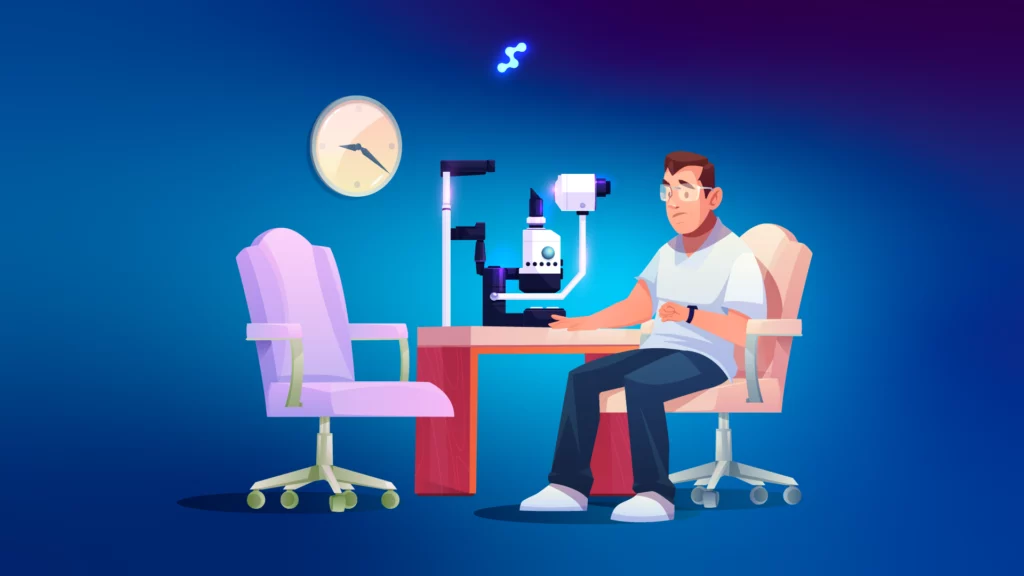
A comprehensive eye exam slot runs 45 to 60 minutes. When a patient no-shows without warning, that slot is gone — there is no walk-in who happens to need a refraction right now. Meanwhile, somewhere on your front desk, a staff member is making reminder calls for tomorrow’s appointments, one by one, from a list they pulled manually. There is a better way to run both of those things — and the practices that have switched to automated patient communication see 30–40% fewer no-shows, with staff spending a third less time on the phone.
This guide explains what patient communication software actually is, what it needs to do for an optical practice specifically, how the major platforms compare, and how Glasson approaches the whole problem as part of a fully integrated optical management system.
Key Insights
Before we get into the detail, here is what matters most:
- Patient communication software automates the messages that flow between your practice and your patients — reminders, recalls, follow-ups, promotions — and logs every interaction in the patient record
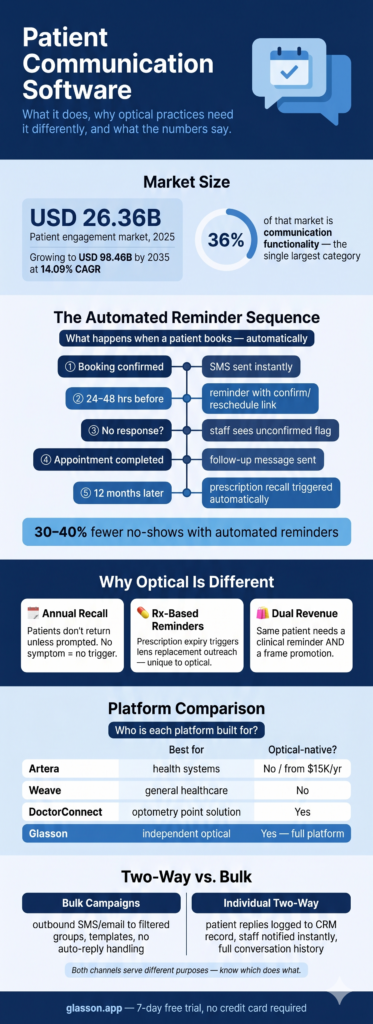
- The global patient engagement market is worth USD 26.36 billion in 2025 and growing at 14.09% CAGR — communication tools alone account for 36% of that market
- Optical practices have specific communication needs that generic healthcare tools don’t cover: prescription-triggered recall, lens replacement reminders, and the dual clinical-plus-retail messaging opportunity
- Automated reminders reduce no-shows by 30–40%; automated self-booking reduces front-desk call time by 30–40% — these are measurable, not aspirational
- Enterprise platforms like Artera (from ~$15,000/year) are built for health systems, not independent optical salons. Glasson combines full optical practice management with built-in patient communication starting at $99/month
What is patient communication software?
Patient communication software is a platform that automates and centralizes the messages that flow between your practice and your patients. It is not a phone system, and it is not a generic email marketing tool — it is purpose-built for the specific communication patterns of a healthcare practice: appointment-driven, clinically triggered, and subject to data compliance requirements.
The core shift it enables is from reactive to proactive. Without it, communication is reactive: patients call you to book, you call them to remind, they call back to cancel. With it, communication becomes proactive: the system reaches out at the right moment with the right message, and patients respond on their own time. The practice runs the same number of appointments with less manual effort — and fewer empty slots.
This is not a niche technology. Communication functionality accounts for 36% of the entire patient engagement solutions market in 2025 — making it the single largest functional category in a sector worth USD 26.36 billion and growing at 14.09% CAGR. Over 60% of patients in the US now access their medical records through digital portals. Communicating with patients primarily by phone is increasingly a mismatch with how patients expect to interact with healthcare providers.
Why do optical practices have different communication needs than other healthcare providers?
Most patient communication platforms were built for general healthcare: GP clinics, dental practices, multi-specialty groups. They handle reminders and recalls well enough for practices where patients book when something is wrong. But optical retail has a fundamentally different patient relationship — one that requires a different kind of communication strategy. Understanding that difference is the first step toward choosing software that actually fits.
Why is proactive recall more critical in optometry than in general medicine?
When a GP patient has a problem, they book an appointment. That’s the trigger. In optometry, the trigger doesn’t exist unless you create it. Annual eye exams are cyclical and optional from the patient’s perspective — there’s no symptom driving them back. Contact lens wearers let prescriptions expire and quietly order elsewhere. High-value patients drift to a competitor practice not because they’re unhappy, but because nobody reached out.
Prescription-triggered recall is the feature that makes this structural difference concrete. When a patient’s lens prescription turns 12 months old, the right communication software doesn’t just send a generic “time for your annual exam” message — it can trigger a lens replacement reminder or a booking invitation keyed to the actual expiry date of that specific patient’s prescription. A standalone communication tool cannot do this without importing clinical data from a separate system.
What is the dual revenue opportunity in optical communication?
A GP practice communicates about health. An optical practice communicates about health and fashion. The same patient who needs an annual exam reminder also wants to know when new frame collections arrive, when there’s a promotion on progressive lenses, or when their preferred brand releases a new style. This dual clinical-and-retail communication opportunity is unique to optical — and most generic healthcare communication platforms treat every message as a clinical communication, missing the retail half entirely.
Practices running both streams — clinical recall and retail marketing — through one connected platform, using the same patient database, can segment audiences precisely: contact lens wearers get refill offers; patients who’ve bought eco-friendly frames hear about your new sustainable collection first; parents with school-age kids get back-to-school exam reminders in August. That level of relevance is only possible when communication and CRM data share the same system.
How does team size affect communication needs in independent practices?
Large health systems can dedicate staff to patient outreach. Independent optical practices often have one or two people managing the front desk, the phone, the booking calendar, and the in-clinic patient flow simultaneously. For small teams, automation is not a nice-to-have — it is the only way to run consistent communication without burning people out or letting follow-ups slip.
Front-desk staff who can rely on automated reminders handling the routine outreach spend their time on what actually requires a human: dispensing conversations, complex scheduling, patient questions that need a real answer. That reallocation of attention is where the biggest gains in both efficiency and patient experience come from.
7-day free trial
Got Any Questions? Let us know in the Contact Us form below.
What are the core features of patient communication software?
Not every platform covers every feature, and some cover the same features very differently. Here is what the core categories mean in practice — with specific attention to what matters for an optical practice.
Are automated appointment reminders actually effective?
Yes — and the numbers are consistent enough to treat them as reliable. Automated reminder sequences cut no-shows by 30–40%. For a practice running 20 appointments a day, a 35% no-show reduction means roughly 7 more filled slots per week. At an average exam fee of $100, that’s $700 per week — $36,400 per year — from one automated workflow. The ROI case for appointment reminders is one of the clearest in all of practice management software.
A well-designed reminder sequence covers: immediate booking confirmation with all appointment details, a reminder 24–48 hours before (timing customizable), patient-facing one-click links to confirm, reschedule, or cancel, and a post-visit follow-up. Each stage is triggered automatically by the scheduling data — no staff involvement required.
What is the difference between recall campaigns and appointment reminders?
Appointment reminders go to patients who have already booked. Recall campaigns go to patients who should book — patients who are overdue for an annual exam, whose prescriptions are approaching expiry, or who haven’t visited in 18 months. Recall is the communication use case with the highest revenue impact, because it converts dormant patient relationships into active appointments.
Weave, one of the communication platforms used by optometry practices, attributes approximately $70,000 in additional annual revenue to recall reminder campaigns. The math is straightforward: a practice with 2,000 patients and a 50% active recall rate has 1,000 patients who could be re-engaged. Even converting 10% of those into one exam appointment each, at $150 per visit, is $15,000 in recovered revenue from one campaign type.
What does two-way messaging mean in practice?
One-way messaging sends a reminder and hopes the patient acts on it. Two-way messaging allows the patient to reply — confirming, asking a question, requesting a reschedule — and routes that response back to the practice in a useful way. The critical detail is where the reply goes: into the patient’s record and visible to staff, or into a shared inbox that nobody monitors, or nowhere at all.
Platforms vary considerably here. Some route all replies to a central dashboard. Some support AI-powered conversational agents that can handle common responses automatically. Others, like Glasson, support two-way messaging at the individual patient level — replies go directly into the patient’s CRM record and trigger a staff notification — while bulk campaigns are outbound-only. Knowing this distinction matters when you’re evaluating platforms.
Why does audience segmentation matter for an optical practice?
Sending the same message to your entire patient list is the communication equivalent of stocking every frame in the same size and calling it a complete range. Segmentation lets you send the right message to the right patient at the right time — which increases response rates and reduces the risk of patients opting out because your messages feel irrelevant.
Practically, this means being able to filter by last visit date (lapsed patients), product interest (contact lens wearers vs. frame buyers), age group (children’s eye health campaigns for parents), or marketing opt-in status. The data that drives the segmentation needs to live in the same system as the communication tools — otherwise every campaign requires an export, a manual filter, and a re-import.
What should communication analytics actually show you?
Delivery rates, open rates, and response rates are the basic output. What matters more is whether you can connect those numbers to outcomes: did the recall campaign produce appointments? Did the reminder sequence reduce cancellations this month compared to last? Did the promotion drive any frame sales? Analytics that stop at ‘message delivered’ are telling you about the tool, not about your practice.
Core patient communication features: what they do and why they matter for optical
| Feature | What it does | Why it matters for optical |
|---|---|---|
| Automated appointment reminders | Multi-stage SMS/email triggered by booking data | 30–40% no-show reduction; no staff time required |
| Recall campaigns | Outreach to overdue/lapsed patients | Primary revenue recovery tool in optometry |
| Prescription-based recall | Triggered by Rx age or expiry date | Unique to optical — requires clinical data integration |
| Bulk SMS / email campaigns | Broadcast to filtered patient segments | Promotions, new stock, seasonal offers |
| Two-way messaging | Patient replies logged to record | Reduces missed responses; keeps context in one place |
| Audience segmentation | Filter by visit date, product, demographics | Relevant messages = higher response, lower opt-outs |
| Messaging templates | Standardized, branded message library | Consistent tone; faster for staff to use |
| Campaign analytics | Open rates, responses, conversion tracking | Measure which campaigns drive appointments |
| Post-visit follow-up | Automated thank-you, review requests, re-booking | Builds loyalty; fills next annual exam slot immediately |
“The recall campaign is the most underused tool in optical communication. Most practices send one reminder when a patient is overdue and move on. The practices seeing real results send a sequence — a first message, then a follow-up two weeks later for patients who haven’t responded, then a final nudge. Automating that sequence takes 20 minutes to set up and runs itself indefinitely. That is a compounding return on a one-time setup.”
— Marcin Debski, Product Manager @ Glasson
Want to see Glasson's full potential?
Book a presentation
How do the major patient communication platforms compare?
The market splits into three broad tiers: enterprise platforms built for large health systems, mid-market tools designed for general healthcare practices, and optical-native platforms built for the specific workflow of eye care. Independent optical practices usually sit in the wrong category when they evaluate enterprise tools — the features they don’t need come at a price that dwarfs the value of the features they do.
| Platform | Best for | Optical-specific? | Approx. pricing | Key differentiator |
|---|---|---|---|---|
| TeleVox | Large health systems | No | Custom enterprise | 30+ yrs, 7,000+ orgs, AI SMART Agent, omnichannel |
| Artera | Health systems & federal | No | From ~$15,000/yr | 2.2B msgs/yr, 109 languages, AI virtual agents |
| Klara | Reducing phone volume | No | Custom quote | No-login patient access, 50+ EHR integrations |
| Solutionreach | Dental, medical, vision | Partial | Custom quote | 400+ EHR integrations, recall + reviews |
| Weave | Multi-channel + VoIP | No | Custom quote | VoIP phones, caller ID pop, recall campaigns |
| Luma Health | AI-driven outreach | No | ~$250/mo/user | Smart scheduling, AI nudges |
| NexHealth | Booking + comms | No | ~$350/mo | Waitlists, digital forms, reminders, payments |
| OhMD | Text-first practices | No | ~$250/mo | Simple SMS interface, quick to deploy |
| DoctorConnect | Optometry practices | Yes | Custom quote | Recall, digital forms, review requests — point solution |
| EyeCloud Pro | Optometry all-in-one | Yes | Custom quote | Built-in reminders, EMR/billing integration |
| Glasson | Independent optical salons | Yes (native) | From $99/mo | Full optical platform: lens finder, CRM, scheduling, comms |
A few distinctions worth calling out. Artera and TeleVox are enterprise-grade platforms built for hospitals and large specialty groups. Artera’s starting price of approximately $15,000 per year prices out virtually every independent optical practice before the feature comparison even begins. These are the right tools for health systems — not for a two-chair optical salon in a suburban strip mall.
Solutionreach and Weave serve general healthcare practices, including some optometry clients. Weave users report approximately $70,000 in additional annual revenue from recall campaigns, which demonstrates the value of the use case — but neither platform was designed for the optical workflow. They don’t understand lens replacement reminders, frame inventory, or the clinical-to-dispensing handoff.
DoctorConnect and EyeCloud Pro are optometry-specific communication tools, which puts them closer to the right audience. The limitation of point solutions is integration: they require connecting to a separate practice management system, and every integration point is a potential source of sync failures, duplicate records, and manual workarounds.
How does Glasson handle patient communication?
Glasson’s communication tools are built into the same platform as scheduling, the patient CRM, the Eye Care Module, inventory, and the Lens Finder. That is the key point — not that the communication features are exceptional in isolation, but that they operate on the same data as every other part of the system, which eliminates the synchronization problems that plague practices using a separate communication tool alongside a separate practice management platform.
What does the automated reminder sequence look like?
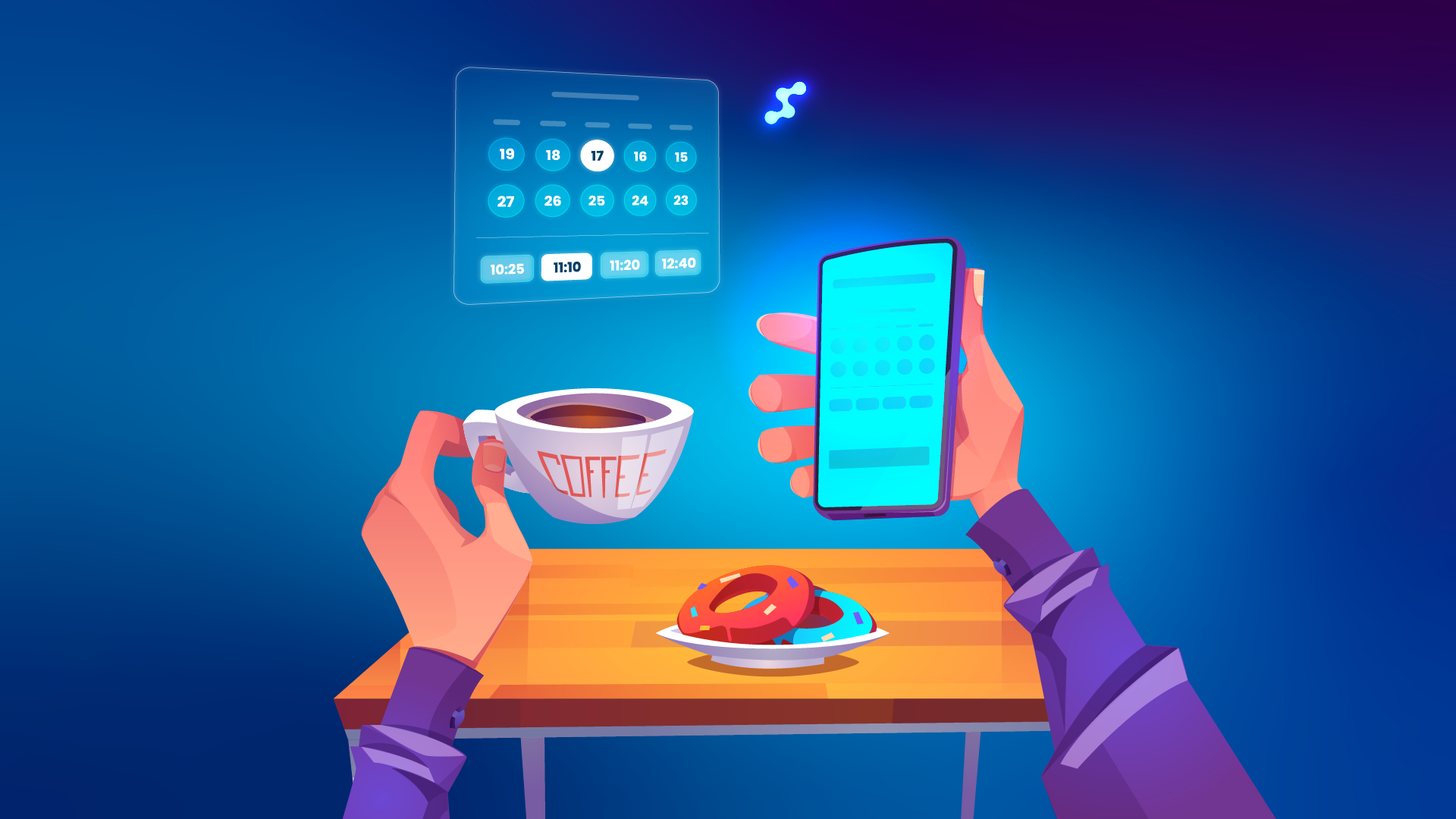
When a patient books an appointment in Glasson — whether through self-service online or by calling in — the communication sequence starts immediately. The patient gets an SMS confirmation within seconds: appointment date, time, location, service type, and provider name. No staff member needs to initiate anything — the booking event triggers the communication automatically.
The sequence continues: a reminder goes out 24–48 hours before the appointment (timing is configurable), including one-click links for the patient to confirm, reschedule, or cancel. Staff can see at a glance which appointments are confirmed and which haven’t responded — so follow-up calls can be targeted at genuinely unconfirmed slots rather than everyone on tomorrow’s schedule. After the appointment, an automated follow-up message goes out with a prompt to book the next annual exam. Online self-booking details are in Glasson Online Reservation.
How do recall campaigns work in Glasson?
Glasson supports automated recall for two distinct triggers: time since last visit (patients overdue for an annual exam) and prescription age (lens prescriptions approaching the 12-month mark). The prescription-age trigger is the one that sets Glasson apart from general healthcare communication tools — because it requires access to clinical prescription data that only exists in the Eye Care Module.
A patient whose prescription turns 12 months old can receive an automatic message: it’s time for your annual check-up, or: your contact lens prescription is due for renewal — book here. That message is not a batch email sent to everyone on a mailing list. It is a clinically-triggered communication sent to the right patient at the right time, based on data that lives in their record. Additional recall capabilities are built around lapsed patient detection (no visit in 18+ months), last-minute cancellation fill campaigns, and birthday and special occasion messages.
What does bulk messaging look like — and what are its limits?
Glasson supports bulk SMS and email campaigns to filtered patient groups: active patients, recent visitors, lapsed patients, marketing opt-in lists, or segments by product interest or demographic. The practical limitation worth knowing: bulk campaigns are outbound-only — replies from patients go back to the practice via phone or email, not as automatically logged CRM responses.
This means bulk campaigns work well for promotions, new frame announcements, seasonal offers, and broad recall outreach — but individual follow-up conversations happen through the separate two-way messaging channel. Both have their place; understanding how each works prevents confusion when setting up campaigns. Communication module details are in Glasson Communication.
How does two-way messaging work at the individual level?
For one-to-one conversations — a patient asking about an appointment, querying their prescription, or following up on an order — Glasson’s CRM supports genuine two-way SMS and email. When a patient replies, their message goes directly into their record in Glasson. Staff get an instant notification. The complete conversation history — every message in both directions — is fully logged and searchable in the patient’s profile, so any team member picking up the thread has full context.
This is the difference between communication software that processes messages and communication software that builds a relationship record. Over time, that log becomes part of the clinical and commercial picture of the patient — alongside their prescription history, their purchase record, and their appointment history. Patient records are detailed in Glasson Clients.
What does the integration advantage actually look like day to day?
Here is the practical version. A patient books online. Glasson fires a confirmation SMS immediately — no staff action. The appointment appears on the staff calendar. 24 hours before, a reminder goes out automatically. The patient confirms with one tap. Staff see the confirmation in real time. After the appointment, a follow-up message prompts the patient to book their next annual exam — and the reminder sequence for that future booking starts from that moment. The patient’s prescription data from the exam updates their record and, when it turns 12 months old, triggers a recall message.
Every step in that sequence runs on the same data, in the same system, without a single manual input from staff. There is no export to a communication platform, no import back, no sync delay, no risk of the reminder referencing an outdated appointment. Statistics and campaign analytics are in Glasson Statistics.
Glasson patient communication features at a glance
| Feature | Available | Notes |
|---|---|---|
| Automated appointment reminders (SMS + email) | Yes | Multi-stage: confirmation + 24–48h reminder + follow-up |
| Bulk SMS campaigns | Yes | Outbound only; patient names not auto-inserted in bulk |
| Bulk email campaigns | Yes | Includes unsubscribe links for compliance |
| Messaging templates (customizable) | Yes | Branded, professional, editable |
| Personalized sender ID | Yes | Practice name displays as sender |
| Recall campaigns (annual exam) | Yes | Automated, triggered by visit gap |
| Lens replacement reminders (Rx age) | Yes | Unique to optical — requires Eye Care Module data |
| Post-visit follow-up messages | Yes | Re-booking prompts, care instructions |
| Birthday / occasion messages | Yes | Automated |
| Last-minute cancellation fill campaigns | Yes | Targeted booking invitations |
| Individual two-way SMS/email | Yes | Replies logged to patient record; staff notified |
| Bulk SMS replies / two-way bulk messaging | No | Not supported; patients contact practice by phone/email |
| Audience segmentation | Yes | By visit recency, product interest, demographics, opt-in |
| Campaign analytics | Yes | Open rates, engagement, conversions |
| Centralized messaging dashboard | Yes | All messages, notifications, and analytics in one view |
| GDPR / data compliance | Yes | Unsubscribe links, audit trails, secure storage |
Test Glasson for 7 days free of charge
Any questions? Leave your contact details and we'll call you back.
How do you choose the right patient communication software for your practice?
The market has enough options that choosing the wrong one is genuinely easy. The platforms that look most impressive in demos are often the ones built for health systems ten times your size. The questions below focus on what actually matters for an independent optical practice — or a small chain — rather than what sounds good in a feature comparison spreadsheet.
Does it understand optical workflows — or is optical support an add-on?
The fastest filter: ask the vendor how prescription-based recall works. If the answer involves importing prescription data from your separate EHR, or if the feature doesn’t exist at all, you are looking at a general healthcare tool with an optical marketing page. Purpose-built optical communication software knows what a refraction result is, what a progressive fitting height means, and when a contact lens prescription expires.
Is communication integrated with your practice management, or is it a separate tool?
A standalone communication tool requires integration with your scheduling system, your CRM, and your clinical records — and every integration requires maintenance, carries sync risk, and costs staff time when it breaks. The simplest and most reliable setup is one where communication, scheduling, patient records, and clinical data all live in the same system.
Ask vendors specifically: where does the data for recall campaigns come from? How quickly does a booking update trigger a confirmation SMS? What happens if the sync between the communication tool and the scheduling system fails? The answers tell you more about day-to-day reliability than any feature list.
Is the pricing right-sized for an independent practice?
Enterprise platforms like Artera start from approximately $15,000 per year. TeleVox requires a custom enterprise quote. For an independent optical salon with one or two locations, those price points don’t make sense — not because the software is bad, but because the cost model is designed for organizations with IT departments and procurement processes. Right-sized pricing for an independent practice means transparent monthly fees, no module surcharges, and a trial period with real access to real features.
Is it easy enough for your team to use without dedicated training?
In a small practice, nobody has time to become a software specialist. The communication platform your staff will actually use is the one that is intuitive from day one — where setting up a recall campaign takes 20 minutes, not a consultation with a technical team, and where templates are easy to edit without needing to understand a marketing automation tool. Ease of use is not a soft criterion — it determines whether the software gets used at all, or becomes a subscription nobody touches.
Buyer checklist: questions to ask before choosing a patient communication platform
| Question | Why it matters |
|---|---|
| Does it support prescription-triggered recall? | Optical-specific use case requiring clinical data access |
| Where does patient data for campaigns come from? | Identifies whether integration is native or bolt-on |
| How quickly does a booking trigger a confirmation? | Sync speed reveals integration reliability |
| Can we segment by last visit date and product type? | Required for targeted campaigns beyond basic reminders |
| Is two-way messaging logged to the patient record? | Determines whether replies are captured or lost |
| What is the pricing model — per message, per seat, flat? | Predictability matters for small practice budgets |
| Is there a trial with full feature access? | Demos hide limitations; full trials reveal them |
| What does support look like after onboarding? | Small teams need real access to help, not just documentation |
Where does this leave you?
Patient communication software is not a luxury for practices with big marketing budgets. It is the infrastructure that keeps patients connected to your practice between visits — which is where optical retention is actually won or lost. A patient who gets a timely recall message books an appointment. A patient who hears nothing finds another optician when their prescription finally runs out.
The practices that run the most consistent communication are not the ones with the most staff — they are the ones with the best automation. The reminder that goes out at 8am every day without anyone having to remember. The recall message that fires when a prescription turns 12 months old. The follow-up that prompts a patient to book their next annual exam before they’ve left the car park.
Glasson handles all of this within the same platform that manages your scheduling, your patient records, your lens selection, and your inventory — so the data that powers your communication is always current, always accurate, and never needs to be moved between systems. If you want to see how that works in practice, the 7-day free trial at Glasson Price List gives you full access with no credit card required.
FAQ — Patient Communication Software
What is patient communication software?
It is a platform that automates and centralizes the messages between a healthcare practice and its patients: appointment reminders, recall campaigns, follow-ups, promotions, and two-way messaging. It replaces manual reminder calls and disconnected email tools with an automated system that works on the same data as your scheduling and patient records.
How much do no-shows actually cost an optical practice?
A 45-minute exam slot that goes unfilled loses both the exam fee and the eyewear sale that typically follows. If a practice runs 20 appointments per day and 15% are no-shows, that’s three empty slots per day. At an average revenue of $250 per attended visit, that’s $750 lost per day — over $190,000 per year. Automated reminders that cut no-shows by 30–40% recover a significant fraction of that.
What is recall messaging in optometry?
Recall messaging is automated outreach to patients who are overdue for a scheduled visit — most commonly an annual eye exam or a contact lens prescription renewal. Because optometry patients don’t return unless prompted, recall campaigns are one of the highest-ROI communication activities an optical practice can run.
Can patient communication software send prescription renewal reminders?
Some platforms can, if they have access to your clinical data. Generic healthcare communication tools typically cannot — they would need to import prescription data from a separate EHR or practice management system. Platforms like Glasson, where the communication module and the Eye Care Module are part of the same system, can trigger reminders based on actual prescription age without any manual setup.
What is the difference between two-way messaging and bulk campaigns?
Bulk campaigns send a message to a filtered group of patients — no reply handling needed. Two-way messaging is a one-to-one channel where patients can reply and their responses are logged in their record. Most platforms support both, but handle them differently. In Glasson, bulk campaigns are outbound-only; two-way messaging operates at the individual patient level with replies logged directly to the CRM record.
How do I know if a patient communication platform is right for an optical practice?
The fastest test: ask whether it supports prescription-triggered recall. If it does, and if that feature works natively without importing data from another system, you are looking at something built for optical. If the answer is a workaround or a blank stare, it’s a general healthcare tool with optical marketing.
Is patient communication software GDPR compliant?
It should be — but check explicitly. Compliance requirements include unsubscribe links in all marketing emails, opt-in management for SMS campaigns, secure storage of patient data, and full audit trails of communications. Glasson is built for GDPR compliance with these features included in all plans.
What does a good reminder sequence include?
A well-designed sequence has at least three stages: an immediate confirmation when the appointment is booked, a reminder 24–48 hours before with one-click confirm/reschedule/cancel options, and a post-visit follow-up prompting the next booking. More sophisticated sequences add a follow-up to patients who haven’t confirmed, and a final reminder on the day of the appointment.
How much does patient communication software cost?
Pricing varies widely by tier. Enterprise platforms like Artera start from approximately $15,000 per year — designed for health systems. Mid-market tools like NexHealth and OhMD run around $250–350 per month. Glasson, which includes patient communication within a full optical practice management platform, starts at $99 per month for solo practitioners and $149 per month for practices with staff.
Can I try Glasson’s communication tools before committing?
Yes. Glasson offers a 7-day free trial with full access to all features — including the communication module, the Lens Finder, scheduling, CRM, and analytics. No credit card is required. Details at Glasson Price List.