Optical Inventory Management Software: What It Should Do – and How Glasson Does It

You probably know the feeling. A client comes in ready to order, you search your inventory, and the frame they want either isn’t there or you’re not sure if it’s there. You check one screen. You check another. You ask a colleague. Three minutes later you’re apologizing. That moment — multiplied across a week — is what poor inventory management actually costs you. This guide breaks down what good optical inventory management software should do, and shows exactly how Glasson handles it.
Key insights
- Optical inventory software designed for the sector goes beyond a basic stock list — it connects frames, lenses, contact lenses, and accessories in one searchable, real-time catalog.
- Good systems update stock as sales happen, so you never offer a frame that isn’t available.
- Multi-location practices need shared inventory across branches, with the ability to transfer stock and check levels per store from a single account.
- Inventory integrated with sales, CRM, and exam data eliminates manual re-entry and reduces errors throughout the dispensing workflow.
- FIFO stock management and audit trails help practices stay accurate between stocktakes.
- Cloud-based access means stock data is always current, on any device — no local files to sync, no version conflicts.
Why does inventory management break down in optical practices?
It breaks down because optical inventory is genuinely complex. You’re not running a single category of products with consistent sizes and a handful of SKUs. You’re managing frames with dozens of colorways and shapes, lenses with prescription-specific parameters, contact lenses in monthly and daily variants, accessories, and services — all at once.
Add multiple suppliers, different lead times, and a counter staff who can’t stop mid-sale to cross-check a spreadsheet, and the cracks appear fast.
Most optical practices that struggle with inventory aren’t doing anything wrong — they’re just using tools that weren’t built for their product mix. A generic POS with a stock module doesn’t know that a frame has 12 color variants, or that lenses need to be matched to a specific prescription before they’re ordered. That mismatch between tool and task is where the mess starts.
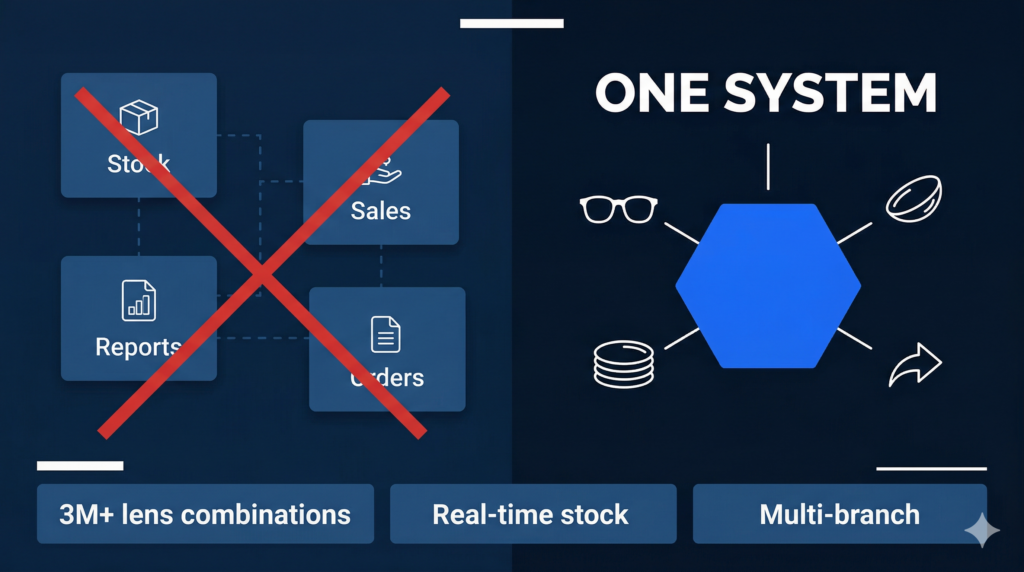
What should optical inventory management software actually do?
Before we look at Glasson specifically, it’s worth being clear about what a purpose-built optical inventory system needs to handle — versus what a general retail stock tool typically offers.
Here’s where the two categories tend to diverge:
| Feature area | General retail stock tool | Purpose-built optical inventory software |
| Product catalog | Generic SKU-based catalog | Frames, lenses, contact lenses and accessories with optical attributes |
| Real-time stock | Updated on sale | Real-time visibility during frame and lens selection, not just post-sale |
| Multi-location | Basic branch reporting | Shared inventory, stock transfers between locations, per-branch levels |
| Integration with exams | None | Prescription flows directly into the sales and ordering workflow |
| Stock control methods | Basic FIFO or none | FIFO, deliveries, audits in one system |
| Analytics | Revenue reports | Sales per product category, top sellers, slow-moving stock, KPIs |
The practical difference is whether your inventory tool is passive (tells you what you had after the fact) or active (shows you what you have while you’re making decisions). In a dispensing environment, where a staff member is with a client and needs answers in seconds, passive is too slow.
7-day free trial Got Any Questions? Let us know in the Contact Us form below.
How does Glasson handle optical inventory?
Glasson is a practice management platform built specifically for optical stores, and its inventory module reflects that focus. Let’s look at how it works in practice — based on what’s actually described on the Glasson website.
Is the product catalog built for optics, or just adapted from a generic system?
It’s built for optics. Glasson gives you access to your full optical collection — eyeglass lenses, frames, contact lenses, and accessories — all in one place. You can group products into categories to make browsing faster, both during inventory work and during the sale itself.
That matters because your staff aren’t searching an abstract list during a client visit — they’re navigating a catalog that should mirror how your store is actually organized. Glasson’s approach of category-based structure keeps that navigation fast.
You can also use the Lens Finder — Glasson’s dedicated lens search tool — to find the right lens for a client directly, or navigate through inventory manually. Both paths exist, so staff can work the way that makes sense for each situation.
Does the inventory update in real time during sales?
Yes — and this is where the practical difference shows up. In Glasson, inventory visibility is active during the dispensing process, not just as a back-office report after the day is done. When a staff member is selecting frames and lenses for a client, they can see current stock status. That means no offering products that aren’t actually available, and no manual checks mid-conversation.
The sale process in Glasson is designed as a single integrated flow: search for lenses, add frames, add services. Throughout that process, you can edit prices, add discounts, and change tax rates. Everything is drawn from the same inventory, and all financial information — discounts, refunds, prepayments — is stored and integrated with the rest of the system.
Think of it this way: if your inventory lives in one place and your sales happen somewhere else, you have two systems that need to stay in sync. Every time they drift apart, you have a problem. Glasson collapses that into one workflow, so the sync is automatic.
What about stock audits, deliveries, and day-to-day control?
Glasson covers the operational side of stock management too. The system supports ongoing stock control for lenses, frames, contact lenses, and accessories, and uses FIFO (first in, first out) for inventory management. You can record deliveries directly in the system, run audits, and keep a running view of what you actually have — not what you think you have.
Practices using Glasson have described ‘massively reduced inventory headaches’ due to easier adjustments, real-time visibility, and simpler stock transfers for multi-location businesses.
That reduction in headaches isn’t a vague benefit — it shows up in the time staff spend on stocktakes, in the frequency of discrepancies between system records and physical stock, and in the confidence with which you can make reorder decisions.
Want to see Glasson's full potential? Book a presentation
How does Glasson handle inventory across multiple locations?
Running a chain of optical stores introduces a whole different set of inventory challenges. What’s the stock position at your second location? Can you see it from the main branch? If a client in one store wants a frame that’s out of stock there, can you transfer it from another branch instead of losing the sale?
Glasson’s administration tools address this directly. You can manage a chain of stores from a single account. All stores in the chain share the same client base and product inventory, which keeps assortment and pricing consistent across locations. You can transfer products between stores, and check stock levels per location — all within the system.
The practical benefit here is consolidated visibility. Instead of logging into separate systems for each branch, or making phone calls to check what another store has in stock, everything is available in one view.
Here’s how that plays out operationally:
- Stock transfers between branches — initiate and track directly in Glasson, no manual records needed
- Per-location stock levels — visible from one account, so you know the position of each store without switching systems
- Shared client base — a client who visits one store can be served with full history at any other branch in the network
- Shared product inventory — consistent catalog and pricing across all locations
You can read more about how Glasson’s administration tools support multi-branch management on the feature page.
How does inventory connect to the rest of the practice workflow?
Inventory in isolation is just a list. What makes optical inventory management software genuinely useful is when that list is live and connected to everything else — exams, sales, client records, and reporting.
From exam to stock to order: is the workflow actually joined up?
In Glasson, prescription data from the eye exam flows through to the optical side. The optician can see prescription details, previous purchases, and real-time inventory status during frame and lens selection, then create an order in one transaction. There’s no point where someone has to manually re-enter the prescription, copy data between screens, or check a separate system for stock.
That closed loop — from clinical decision to stock check to completed order — is what separates an integrated practice management platform from a collection of separate tools.
Glasson’s Eye Care Module sits alongside inventory and sales, so the exam workflow and the dispensing workflow are part of the same system rather than separate processes that staff have to manually connect.
How does inventory connect to the client record?
Every frame and lens a client buys is stored in their record in Glasson. When they come back — whether it’s six months later for a reorder or two years later for a new pair — staff can see exactly what they purchased previously, what their prescription was, and what their preferences are.
This is where inventory management overlaps with customer service. Because product history and inventory data live in the same system, staff can suggest in-stock alternatives or upgrades based on what a client previously bought. You’re not guessing — you know what they liked last time, and you can see what’s available now.
The Clients module in Glasson holds this purchase history, prescription records, and client details, making it directly accessible during the sale.
What does the reporting side look like?
Glasson’s statistics section provides sales reports, stats per period, and pending orders. The data covers revenue, financial performance, and — importantly for inventory decisions — which products are selling and which aren’t.
You can check Top 10 sales to see which frames and product categories perform best, which feeds back into smarter reorder decisions and better stock allocation across branches. The data is presented in both numerical form and visual graphs, so you can pull the view that works for how you want to analyze it.
Connecting inventory data with sales performance is what turns stock management from a reactive task (counting what you have) into a proactive one (ordering what will sell).
The Statistics feature in Glasson covers revenue breakdown by category — lenses, frames, services, and others — with the ability to select custom time ranges for reporting.
Here’s a reference view of the inventory-related KPIs Glasson helps you track:
| KPI | What it tells you | Where to find it in Glasson |
| Top-selling products | Which frames/lenses drive the most revenue | Statistics > Top 10 sales |
| Revenue by category | Performance of lenses vs. frames vs. services | Statistics > Sales reports |
| Pending orders | Open orders and prepayment status | Statistics > Pending orders |
| Stock per location | Current inventory at each branch | Administration > Chain stores view |
| Financial performance | Overall earnings and costs by period | Statistics > Financial performance |
| Daily cash flow | Cash inflows and outflows per day | Statistics > Cash registers |
Test Glasson for 7 days free of charge Any questions? Leave your contact details and we'll call you back.
What about security, permissions, and data access?
If multiple staff members are touching inventory data — some reading, some editing, some managing deliveries — you need controls over who can do what. Glasson handles this through staff permission levels.
You can configure different access levels for different roles. A front-of-house staff member might see stock and process sales, but not modify inventory records or view sensitive financial data. A manager gets a broader view. That separation keeps your stock data accurate (fewer accidental edits) and your financial data protected.
The system is fully compliant with the Data Protection Act, and all data is saved in real time to the cloud. There are no files sitting on a local computer that could be lost if a machine fails or is replaced. Any device with an internet connection gives authorized staff access to current inventory data.
That cloud-based architecture also matters for multi-location operations. Every branch is working from the same live data, so there’s no scenario where one store has an outdated product list because the sync didn’t run.
Expert’s voice
“Inventory management in optics is not just about knowing what you have on the shelf. The real challenge is having that information at the right moment — when a client is sitting in front of you, when you’re deciding what to reorder, and when you’re checking whether a branch has the frame you need to transfer. Glasson was built so that inventory data is present in all of those moments, not just in a separate back-office module you check once a day. When inventory is genuinely integrated with your sales, your client records, and your exam workflow, it stops being an administrative burden and starts being a tool that helps you sell better and serve clients more confidently.”
Marcin Debski, Product Manager @ Glasson
Glasson vs. the general market: how does it compare?
If you’re evaluating optical inventory management software, you’re probably comparing Glasson against generic POS systems, basic stock management tools, or older optical-specific platforms. Here’s a straightforward look at how Glasson’s documented features map to common buyer requirements:
| Requirement | What buyers typically need | How Glasson addresses it |
| Product catalog | Central database of frames, lenses, contact lenses | Full catalog: lenses, frames, contact lenses, accessories in one place; category grouping |
| Real-time stock visibility | Prevent stockouts and overselling | Real-time inventory updates and visibility during frame/lens selection in the sale workflow |
| Cloud access | Work across devices and locations | Cloud-based; access from any device with internet — no local installation required |
| Multi-branch inventory | Shared data, stock transfers between locations | Manage chain stores from one account; shared inventory; transfer products; view stock per branch |
| Exam integration | Fewer errors, faster workflow | Prescription flows from exam to optical; inventory visible during dispensing; one-transaction order |
| Analytics and reporting | Sales KPIs and stock insights | Sales reports, revenue by category, Top 10 sales, stats per custom period |
| Security and permissions | Protect financial and stock data | Staff permission levels; Data Protection Act compliance; real-time cloud save |
| FIFO and audits | Accurate stock records | FIFO inventory management; deliveries and audits in the same system |
Is Glasson worth trying if you’re managing optical inventory today?
If your current setup involves spreadsheets, a generic POS with a basic stock module, or an older optical system where inventory is separate from everything else — then yes, it’s worth a look.
The core problem Glasson solves isn’t obscure: it’s the disconnect between what’s in your stock system and what’s actually happening on the shop floor, at the dispensing table, and across your branches. When those things are in sync — when a staff member can see stock, client history, and prescription data in one workflow — the daily friction drops significantly.
Glasson offers a 7-day free trial. That’s enough time to set up your catalog, run a few test sales, and see whether the inventory integration actually works the way it’s described. No commitment required — just a working environment to test it against your actual practice workflow.
You can start the trial at glasson.app or explore the full feature set, including the Inventory module and Communication tools, on the Glasson website.
FAQ

What is optical inventory management software?
It’s software designed to help optical practices track and manage their stock of frames, lenses, contact lenses, and accessories — typically with real-time visibility, multi-location support, and integration with sales and ordering workflows.
Does Glasson work for both single-location practices and chains?
Yes. Glasson works for individual optical stores and for chains. For multi-location setups, you can manage all branches from one account, share inventory and client data, transfer products between locations, and check per-branch stock levels.
What types of products does Glasson’s inventory cover?
Glasson’s inventory covers eyeglass lenses, frames, contact lenses, and accessories. Products can be grouped into categories for easier browsing during sales and inventory work.
Is Glasson’s inventory updated in real time?
Yes. Stock levels update as sales happen, and inventory visibility is active during the dispensing process — meaning staff can see current stock while selecting products for a client, not just in end-of-day reports.
Does Glasson support FIFO inventory management?
Yes. Glasson uses FIFO (first in, first out) for inventory management. The system also supports recording deliveries and running stock audits.
Can I see which frames and lenses are selling best?
Yes. Glasson’s Statistics section includes a Top 10 sales view and sales reports broken down by product category (lenses, frames, services, and others). You can select custom time ranges for reporting.
How does Glasson’s inventory connect with the exam workflow?
Prescription data from the Eye Care module flows through to the sales and ordering workflow. During dispensing, the optician can see the prescription, the client’s purchase history, and current inventory status — all in the same interface.
What security controls does Glasson have for inventory data?
Glasson offers configurable staff permission levels, so you can control who can view or modify inventory records. The system is compliant with the Data Protection Act, and all data is saved in real time to the cloud.
Does Glasson work on mobile devices?
Yes. Glasson is cloud-based, so it works on any device with an internet connection — computer, tablet, or mobile. There’s no local installation required.
How long is the free trial?
Glasson offers a 7-day free trial with no payment details required upfront. That’s enough time to set up your catalog, test the inventory workflow, and evaluate whether it fits your practice.