Billing Software for Optical Shops: What to Look For and What You Probably Don’t Need

Search “billing software for optical shop” and you’ll drown in platforms promising revenue-cycle management, claim scrubbing, and coding modules built for medical clinics. Then you look at your actual day — ring up a sale, apply a discount, take a deposit on an order, print an invoice — and wonder why you’d need any of that. For most optical shops, billing isn’t a complex clinical process; it’s the sales transaction at your counter, and the software you need is the kind that handles that cleanly without burying you in features built for someone else’s business.
This guide separates the billing capabilities an optician genuinely uses from the heavyweight machinery you’ll pay for and never touch. By the end you’ll know exactly what to look for — and what to walk past.
Key insights
The whole article in a few lines. An optical shop needs billing that’s part of the sales process — invoices, discounts, deposits, tax — not a standalone medical-billing engine designed for insurance-heavy clinics.
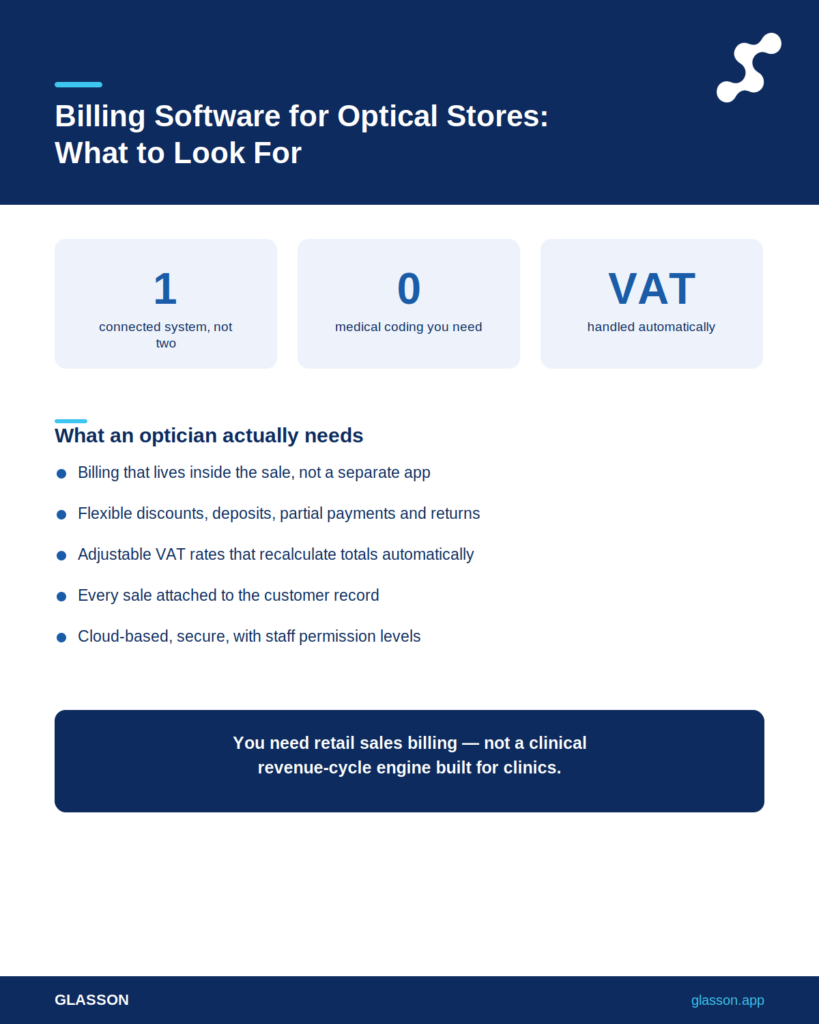
- Billing is part of the sale: the best optical billing lives inside your sales and inventory flow, not in a separate app.
- You need invoicing, flexible discounts, deposits and prepayments, refunds, and adjustable tax rates.
- Heavy medical coding and complex insurance claim modules are usually overkill for a dispensing shop.
- Integration with client records and inventory is what saves real time.
- Cloud-based billing keeps your financial records safe and accessible anywhere.
- Watch for “revenue cycle” platforms priced for clinics — you’d be paying for capabilities you won’t use.
What does billing actually mean in an optical shop?
It means handling the money side of a sale: producing an invoice, applying any discount, taking a deposit on a lens order, recording the balance, and getting the tax right. That’s a retail transaction with a few optical-specific wrinkles, not a clinical billing operation. When people sell you “optical billing software,” check whether they mean point-of-sale billing for a dispensing shop or medical revenue-cycle management for a clinic — they’re completely different products.
That distinction shapes everything that follows, so let’s make it concrete before looking at features.
Are you a retail shop or an insurance-billing clinic?
If most of your revenue comes from selling glasses, lenses, and services directly to clients, you’re a retail shop — and your billing needs are modest. Clinics that bill large volumes of insurance claims need coding and claim management; a dispensing optician mostly needs to invoice a sale and track what’s paid. Buying a clinical revenue-cycle platform when you run a retail optical shop is like buying a delivery van to commute to work — far more machine than the job requires.
Once you’ve placed yourself on that spectrum, the feature list gets short and clear. Here’s what genuinely matters.
Which billing features does an optician actually need?
A handful, and they all revolve around making the sale clean and the record accurate. Get these right and your billing is sorted; everything beyond them is usually padding. Invoicing, flexible discounts, deposits and prepayments, refunds, and adjustable tax rates cover almost everything a dispensing optician does at the till.
Let’s walk through them, because the way these features behave matters as much as whether they exist.
Does the billing live inside the sale?
This is the one that separates time-savers from time-wasters. In a good system, billing isn’t a separate step — it’s woven into the sale itself. With Glasson Inventory and the sales process, you search for lenses, add frames, select services, then edit prices, apply a discount, or change the tax rate within the same flow. When billing happens inside the sale rather than in a separate program, you stop re-entering the same order twice and the numbers can’t drift apart.
Picture the alternative: ringing up the sale in one tool, then re-keying it into a billing app to produce the invoice. That double entry is where errors and wasted minutes live.
7-day free trial
Got Any Questions? Let us know in the Contact Us form below.
Can it handle deposits, prepayments, and refunds?
It must, because optical sales rarely settle in one clean payment. A client orders lenses, pays a deposit, and settles the rest on collection — sometimes weeks later. Glasson’s sales process lets you record discounts, refunds, and prepayments, and stores all of it against the order. Tracking partial payments and balances automatically is essential for a shop where the order and the final payment are often separated by days or weeks.
This also feeds your reporting — you can see pending orders and their value at a glance, which we’ll come back to. First, the detail that quietly causes the most billing headaches.
Does it get tax and discounts right every time?
It needs to, because manual tax and discount maths is where small errors quietly add up across a year. The ability to adjust the tax rate and apply discounts during the sale — and have the totals recalculate automatically — keeps your invoices accurate and your records clean. Letting the system do the arithmetic removes the rounding mistakes and forgotten discounts that erode your margin one transaction at a time.
Here’s a side-by-side of what an optical shop genuinely uses versus what clinical billing platforms pile on top.
| Capability | Optical shop need | Clinical billing extra |
|---|---|---|
| Invoicing | Essential | Included |
| Discounts & adjustable tax | Essential | Included |
| Deposits & prepayments | Essential | Sometimes |
| Refunds | Essential | Included |
| Integration with sales & stock | Essential | Often weak |
| Medical billing codes | Rarely needed | Core feature |
| Complex insurance claim scrubbing | Rarely needed | Core feature |
| Revenue-cycle management suite | Overkill | Core feature |
What can you safely skip?
Most of the clinical revenue-cycle apparatus that gets marketed under “optical billing.” If your shop doesn’t process insurance claims at volume, the modules built to manage them are cost without benefit. Paying for medical coding, claim scrubbing, and full revenue-cycle management you’ll never use is the most common way optical shops overspend on billing software.
To be specific, here’s what a typical dispensing shop can usually leave on the shelf:
- Medical billing codes and coding workflows: built for clinical claims, irrelevant to most retail dispensing.
- Complex insurance claim scrubbing and denial management suites.
- Full revenue-cycle management dashboards designed for high claim volumes.
- Per-user billing seats that punish you for adding staff.
None of that helps you ring up a pair of glasses faster; what it does is inflate the price and the learning curve. So if those are off the table, what should you actually weigh when comparing options?
Want to see Glasson's full potential?
Book a presentation
How does billing connect to the rest of your shop?
Tightly, in any system worth buying — billing data should flow straight into your client records, inventory, and reports. Billing in isolation is just paperwork; billing connected to everything else is business intelligence. When a sale automatically updates your stock, attaches to the client’s record, and feeds your revenue reports, your billing stops being admin and starts being information you can use.
Two connections matter most for an optical shop.
Does each sale update the client record?
It should, automatically. Every billed sale belongs on the client’s history so you can see what they bought, when, and for how much. Glasson Clients keeps sales and payment history on each profile alongside prescriptions and preferences. A complete payment history on the client record turns a simple invoice into a record you can use for service, follow-up, and repeat sales.
That connection is also what lets you answer a returning client’s “what did I pay last time?” without digging through a drawer.
Can you see the financial picture, not just individual invoices?
You should be able to, because individual invoices don’t tell you how the shop is doing. Glasson Statistics pulls your sales into revenue summaries, sales reports by period, pending orders and their value, and cash register tracking for daily inflows and outflows. Seeing revenue, outstanding balances, and daily cash flow in one place is what billing is really for — knowing where your money is.
That visibility depends on your data being safe and available, which is the last thing to check before you buy.
Is your billing data safe and accessible?
It needs to be both, and cloud-based systems handle this better than a computer in the back room. Financial records are exactly the data you can’t afford to lose to a failed hard drive. A cloud-based system saves your billing data in real time and lets you reach it from any device, while restricting access to authorised staff. Glasson is cloud-based and built to comply with data protection requirements, with permission levels so staff only see what they should.
You can also assign staff permission levels through Glasson Administration, so not everyone has access to sensitive financial data. That’s the kind of control that’s awkward to set up on a shared office PC but standard in a proper system.
“When an optician tells me they’re shopping for billing software, my first question is always whether they actually process insurance claims at volume. Usually they don’t — they sell glasses and need clean invoices, deposits, and accurate tax. They’ve just been shown clinical platforms because that’s what ranks for ‘billing software.’ The right tool for a dispensing shop is one where billing is simply part of the sale, not a separate system you maintain and pay extra for.”
— Marcin Debski, Product Manager @ Glasson
What should it cost?
Far less than a clinical revenue-cycle platform, because you’re buying retail billing inside a management system, not a standalone medical product. The trap is paying enterprise prices for capabilities your shop will never use. For an optician, billing should come bundled into an affordable, transparent monthly subscription rather than priced as a separate high-cost module.
For a benchmark, the public Glasson Price List includes invoices and the full sales workflow in its plans — the Optician plan at $149–$159 net per month covers billing, inventory, the Lens Finder, and unlimited staff and clients together. When you compare quotes, make sure billing isn’t a separate line item stacked on top of a base fee.
Test Glasson for 7 days free of charge
Any questions? Leave your contact details and we'll call you back.
How do you choose, in the end?
Match the tool to how your shop actually takes money, and ignore the features aimed at a business you’re not running. The shortest path to the right choice is honesty about what you do day to day. If you sell eyewear and services to clients directly, choose a system where billing is built into the sale, connected to your records, cloud-based, and transparently priced — and skip the clinical machinery entirely.
Test it before you commit. Run a few real sales through a free trial — apply a discount, take a deposit, print an invoice — and see whether the billing feels like part of the sale or a chore bolted onto it. You can start from the Glasson features overview.
Frequently asked questions

What’s the difference between optical billing and medical billing software?
Optical billing handles retail sales — invoices, discounts, deposits, tax — while medical billing manages insurance claims and coding. A dispensing optical shop usually needs retail billing, not the clinical claim machinery built for medical practices.
Do I need separate billing software at all?
Usually not — billing should be part of your shop management system. When invoicing, discounts, and payments live inside the sales process, a separate billing app just creates double entry. One connected system is simpler and cheaper.
Can the software handle deposits on lens orders?
It should, since split payments are normal in optical sales. Glasson lets you record prepayments, discounts, and refunds against an order and tracks the outstanding balance automatically. This matters when collection happens weeks after ordering.
Does it manage different tax rates?
Yes — adjustable tax is a core requirement. You can change the tax rate during a sale and have totals recalculate automatically, which keeps invoices accurate without manual maths. This avoids the small errors that add up over time.
Will billing data appear in my client records?
In a connected system, automatically. Glasson stores sales and payment history on each client profile alongside prescriptions and preferences, so you can see exactly what a client bought and paid.
Is cloud-based billing safe for financial records?
Yes, when the provider uses proper safeguards. Glasson saves billing data in real time, restricts access to authorised users, and complies with data protection requirements, which is generally safer than a single office computer.
Can I control which staff see financial data?
You can, with permission levels. Glasson Administration lets you assign access so staff only see the data they need, keeping sensitive billing information restricted to the right people.
How do I track outstanding balances and pending orders?
Through your reporting section. Glasson Statistics shows pending orders and their value alongside revenue and cash flow, so you always know what’s owed and what’s coming in.
How much should optical billing software cost?
It should be bundled into an affordable subscription, not a costly add-on. Glasson includes invoicing and the full sales workflow in its plans, with the Optician plan at $149–$159 net per month. Avoid clinical platforms priced for insurance billing.
Can I try the billing features before buying?
You should test them with real transactions. Use a free trial to run actual sales — apply discounts, take deposits, print invoices — and confirm the billing fits how your shop works before committing to anything.