Optician Practice Management Software: What Independent Optical Stores Actually Need in 2026

It’s 5:40 on a Friday. You’ve got one client waiting for a frame adjustment, a supplier on hold, and a sticky note somewhere that says “call Mrs. Adler about her progressives.” Your appointment book is paper, your sales live in a spreadsheet, and the prescription you need is in a folder in the back. If running your store feels like juggling six tools that don’t talk to each other, you’re not disorganized — you’re under-equipped.
That’s the gap practice management software is supposed to close. But the category is crowded, the marketing is loud, and a lot of what gets sold to optical stores was actually built for medical clinics. This guide cuts through it: what an independent optician genuinely needs, what’s just expensive padding, and how to tell the difference before you sign anything.
Key insights
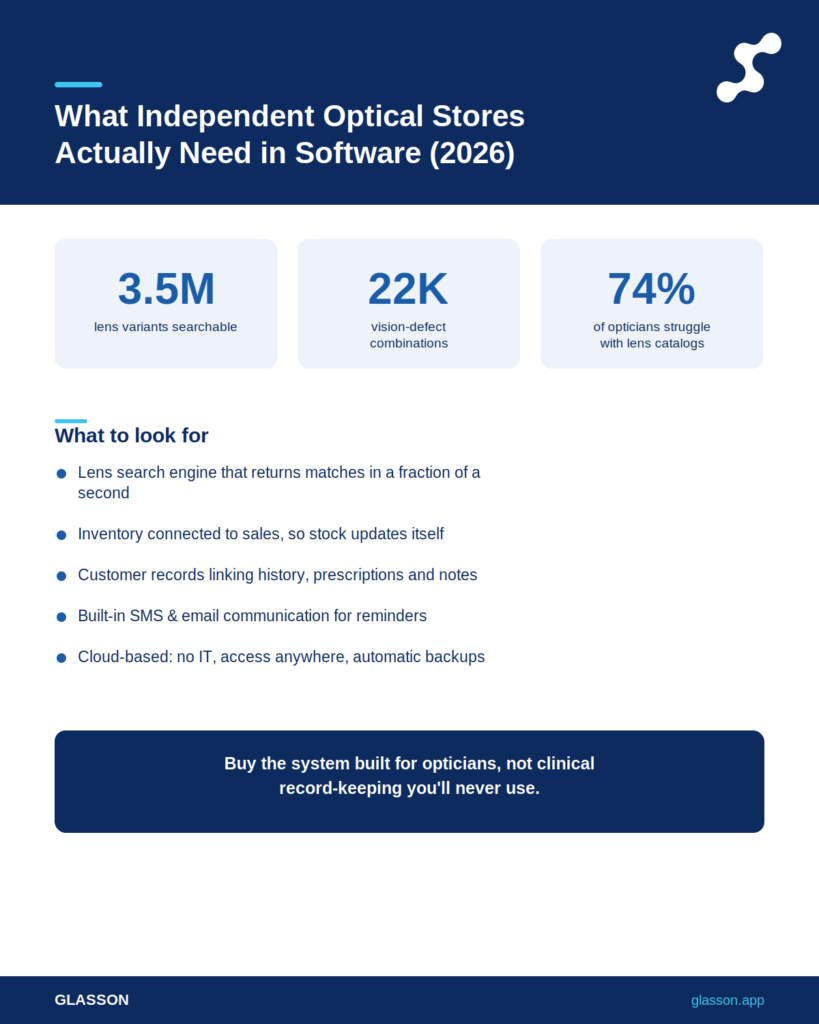
Short on time? Here’s the whole article in six lines. The right system for an optical store is the one built around dispensing, lens sales, and client relationships — not clinical charting you’ll never use.
- Built for opticians, not clinics: Software designed for ophthalmology practices buries you in features you don’t need and prices them in.
- The features that actually earn their keep are lens search, inventory, a real client record, sales handling, and communication.
- Cloud-based beats server-based for almost every independent store — no IT, access anywhere, automatic updates.
- Integration matters more than feature count: tools that share one client base save you the most time.
- Watch for hidden costs — per-user fees, setup charges, and “modules” that cost extra.
- Expect to pay roughly $100–$160 net per month per location for a system aimed at opticians.
What does optician practice management software actually do?
It replaces the pile of separate tools you currently use to run the store with one connected system. Think of everything that happens between a client walking in and walking out with their glasses: booking, the eye exam record, finding lenses, checking stock, ringing up the sale, and following up afterward. Practice management software pulls all of that into a single place so the same client information flows from one step to the next without you re-typing it.
Before we get into specific features, it helps to be clear about who you are in this market. That one distinction changes which software is right for you.
Are you buying for an optical store or a medical clinic?
This is the question that trips up most buyers. A lot of well-known platforms were built for ophthalmologists and optometrists — clinicians who need electronic health records, insurance billing codes, and detailed medical charting. If you run a retail optical store, most of that machinery is dead weight you’ll still pay for every month. An optician’s day is about dispensing, frames, lens orders, and keeping clients coming back, and the software should reflect that.
So when a system promises “everything,” ask what it was originally designed to do. The honest answer tells you whether you’re the intended customer or an afterthought. With that settled, let’s look at the features worth paying for.
Which features are worth paying for?
Five things do the heavy lifting in an optical store, and a system that nails these will carry you further than one with a hundred checkboxes. If a platform handles lens search, inventory, client records, sales, and communication well, you have the foundation of a smoothly run store.
Let’s take them one at a time, starting with the feature opticians tell us saves them the most time every single day.
How much time can a lens finder really save?
More than you’d guess — flipping through supplier catalogues is one of the quiet time-sinks of the job. On Glasson’s own research, 74% of opticians admit that looking for lenses in catalogues is time-consuming and often very difficult, and more than 45% say they lose money because they can’t easily compare lens prices. A digital lens finder turns that into a quick search. The Glasson Lens Finder checks a database of over 3.5 million lens variants and returns matching results in a fraction of a second, supporting more than 22 thousand combinations of vision defects.
Picture the difference. The old way: pull three catalogues, cross-reference indices by hand, call a rep to confirm a price. The new way: type the prescription into a form that looks like the one you already use, and compare options on screen. That’s minutes saved on every order, and those minutes add up across a week.
7-day free trial
Got Any Questions? Let us know in the Contact Us form below.
Why does inventory belong in the same system?
Because stock and sales are the same conversation, and splitting them across tools is how frames go missing and orders stall. Glasson Inventory keeps eyeglass lenses, frames, contact lenses, and accessories in one catalogue, grouped into categories, with stock levels you can check anytime. Because it’s tied directly to lens search and sales, the moment you sell a pair the system already knows what left the shelf.
That connection is the whole point. A standalone inventory app makes you update two places; an integrated one updates itself. Which brings us to the part of the system that quietly drives repeat business.
What makes a client record more than a contact list?
A real client record remembers the things you can’t. Sales history, prescriptions, personal notes, even photos of the frames someone bought last time — all on one profile you can open in seconds. Glasson Clients keeps it all in one place and connects it to your sales, marketing, and inventory. Glasson’s research found that 67% of stores don’t collect their client sales data, while 81% of clients say their decisions are based on the level of customer service they get.
Here’s why that gap matters. When a regular walks in and you already know their last prescription and the style they liked, the service feels personal — and personal service is exactly what those 81% are responding to. A spreadsheet can’t do that; a connected client record can.
Do sales and communication tools really move the needle?
They do, especially the unglamorous follow-up messages. Glasson Communication sends automated emails and texts — appointment reminders, “your glasses are ready,” birthday offers — using templates you set once. On Glasson’s figures, 85% of clients find a text reminder to collect their glasses helpful, and stores see up to a 75% lift in client engagement when they reach out by text.
Ever had a finished pair sit in a drawer for three weeks because nobody called? One automated message closes that loop. Now that we’ve covered what to buy, let’s talk about how it should be delivered.
Cloud or server: which should an independent store choose?
For almost every independent optician, cloud-based wins. A server-based system lives on a computer in your back office, which means you’re responsible for backups, updates, and what happens when that machine dies. A cloud system saves your data in real time and lets you log in from any device with an internet connection, with no hardware to maintain. Glasson is cloud-based by design, so your information is there whether you’re at the counter, at home, or visiting a second location.
The common worry is “what if the internet goes down?” It’s fair — but weigh it against the server alternative, where a single hard-drive failure can take your whole business offline with no copy anywhere else. Here’s a side-by-side.
| Factor | Cloud-based | Server-based |
|---|---|---|
| Upfront cost | Low — subscription only | High — hardware & setup |
| Maintenance | Handled by provider | Your responsibility |
| Access | Any device, anywhere | On-site only (usually) |
| Updates | Automatic | Manual, often paid |
| Data backup | Real-time, off-site | You must arrange it |
| Multi-location | Built in | Difficult & costly |
If you run more than one store, the multi-location row alone usually settles the argument. Glasson Administration lets you manage a chain from one account, with a shared client base and inventory you can move between locations. That kind of network management is painful to bolt onto a server setup but comes standard in a cloud system.
Want to see Glasson's full potential?
Book a presentation
What should you actually pay for it?
Less than the legacy vendors want you to think. Pricing in this space is often deliberately murky — quotes “on request,” per-user add-ons, setup fees, and modules that cost extra once you’re locked in. The fix is simple: insist on transparent, published pricing before you commit to anything.
For reference, Glasson publishes its plans openly. The table below shows the public Glasson Price List so you have a real benchmark to compare other quotes against.
| Plan | Built for | Net price / month | Key inclusions |
|---|---|---|---|
| Eye Care | Solo eye care provider | $99–$109 | Eye Care module, sales, statistics, invoices, SMS/email |
| Optician | Optical store (most popular) | $149–$159 | Lens Finder, inventory, unlimited staff & clients, Eye Care, communication |
| Optical network | Multi-store chains | Custom | Everything in Optician across multiple locations |
Notice what’s bundled rather than billed separately — unlimited staff and clients, communication, the Eye Care module. When you compare quotes, add up the real monthly total including every “extra,” because that’s the number you’ll actually pay.
“The biggest mistake I see independent opticians make is buying clinical software because it’s the name everyone knows, then paying for charting tools they open maybe once a year. A store doesn’t run on medical records — it runs on lens orders, stock, and the relationship with the person across the counter. Buy the system that’s good at those, and ignore the feature lists designed to make you feel like more is better.”
— Marcin Debski, Product Manager @ Glasson
How do you switch without disrupting the store?
Carefully, and with help — which is exactly why support quality should be on your checklist. The fear of a messy migration keeps a lot of opticians stuck on tools they’ve outgrown. The smoothest switches happen when the provider handles onboarding and trains your staff, instead of leaving you to figure it out alone. Glasson offers technical support by phone and screen sharing, and walks your team through setup.
A sensible path looks like this, and most of it can happen alongside normal trading rather than during a shutdown.
- Trial first: use a free trial to test the system with your real workflow before committing.
- Import your client base and current inventory with the provider’s help.
- Train staff on the day-to-day screens — sales, search, client records.
- Run both systems in parallel for a short window so nothing slips.
- Switch fully once your team is comfortable, keeping support on call.
The free trial is the part to use properly. Don’t just click around — run a few real sales through it, search for lenses you actually stock, and see whether it fits the way your store works. You can start one through the Glasson features overview.
Test Glasson for 7 days free of charge
Any questions? Leave your contact details and we'll call you back.
What should you skip?
Anything that solves a problem you don’t have. The temptation is to buy for the store you imagine running someday, but you pay for those features now. If a capability doesn’t map to something you’ll do this month, it’s not a benefit — it’s a cost.
A few specific things independent optical stores rarely need from a “practice management” platform:
- Heavy clinical EHR and medical coding: useful for clinics, irrelevant to a dispensing-focused retail store.
- Complex insurance claim modules you won’t process at the volume that justifies them.
- Per-user pricing that punishes you for hiring — look for unlimited staff instead.
- Marketing “suites” that overlap with the simple campaign tools already in your system.
Strip those away and the decision gets clearer. You’re not buying the most software — you’re buying the right software. For an optical store, that means a connected, cloud-based system built around dispensing and client relationships, priced transparently, with real support behind it.
Frequently asked questions

What’s the difference between optician software and optometry software?
Optometry and ophthalmology software centers on clinical records, exams, and medical billing, while optician software centers on dispensing — lens search, inventory, sales, and client management. An optical store is better served by a tool built for retail dispensing than by a clinical platform.
Is cloud-based software safe for client data?
Yes, when the provider uses proper safeguards. Glasson saves data in real time, restricts access to authorised users, and is built to comply with data protection requirements. Reputable cloud systems are typically more secure than an unbacked office computer.
Can one system handle multiple store locations?
It can, if it’s designed for it. Glasson lets you manage a chain from one account, with a shared client base and inventory you can transfer between stores. This is far easier in a cloud system than on local servers.
How long does it take to get up and running?
Most stores are operational within days, not weeks, with a cloud system. Because there’s no hardware to install, setup is mostly importing your data and training staff. A provider that offers onboarding shortens this further.
Do I need separate software for eye exams?
Not if your system includes an examination module. The Glasson Eye Care Module provides customisable diagnostic forms and a calendar integrated with the rest of the system, so exam data flows straight into lens ordering and client records.
Will it work with the lenses and suppliers I already use?
A strong lens database is the thing to check. Glasson’s Lens Finder searches over 3.5 million lens variants, covering a very wide range of products and suppliers. You can also store your own supplier contact details alongside your inventory.
How much should I budget per month?
For a system aimed at opticians, expect roughly $100–$160 net per month per location. Glasson’s most popular Optician plan is $149–$159 net per month and includes unlimited staff and clients. Always confirm what’s bundled versus billed extra.
Can I try it before committing?
You should never buy this kind of software without trying it. Glasson offers a free trial so you can run real workflows before paying anything. Use it to test lens search and sales with your actual stock.
What happens to my data if I switch providers later?
Your data should always be yours to export. Before signing with any vendor, confirm you can extract your client and sales records if you ever leave. Transparent providers make this straightforward.
Is practice management software worth it for a small single store?
Usually yes, because the time savings show up immediately. Even a one-person store benefits from faster lens search, automated reminders, and client records that replace memory and sticky notes. The monthly cost is typically recovered in hours saved and repeat sales.